
This option copies the Include in TSDL and TSDL Grades values from the previous year’s reporting terms to the current year’s matching reporting terms, matched by store code.
Warning: This can be run more than once and will overwrite the current year data each time this function is run.
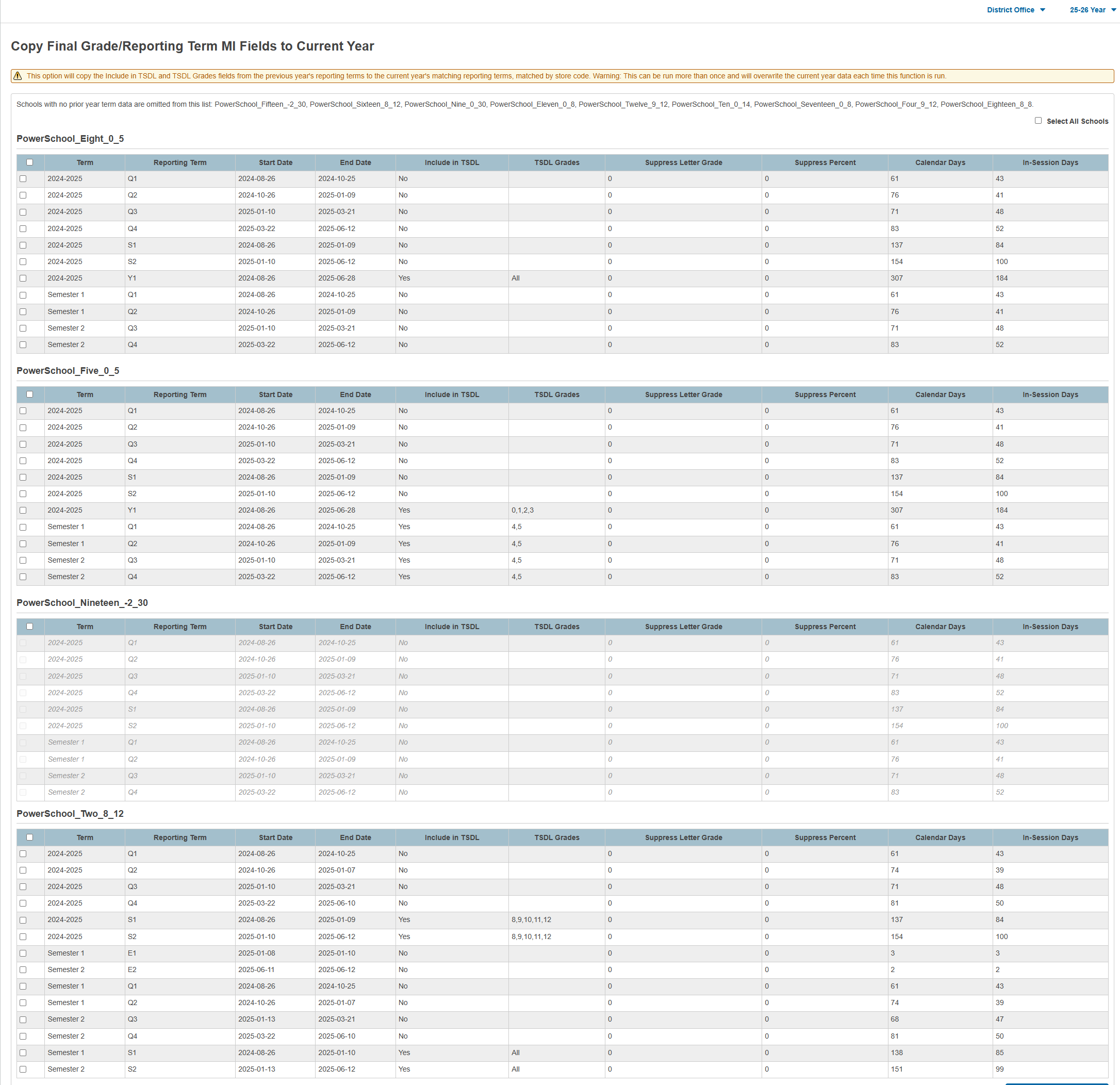
A list shows the available school(s) and following columns of data (all columns are previous year data):
-
Term - Final Grade/Reporting Term.
-
Reporting Term - Store Code for the Term.
-
Start Date - Start Date of the Final Grade/Reporting Term.
-
End Date - End Date of the Final Grade/Reporting Term.
-
Include in TSDL - Yes or No that the Reporting Term is included in TSDL.
-
TSDL Grades - All, blank (none) or the selected grade levels that include the Reporting Term in TSDL.
-
Suppress Letter Grade - 1 (yes), 0 (no).
-
Suppress Percent - 1 (yes), 0 (no).
-
Calendar Days - Number of calendar days in the reporting term.
-
In-Session Days - Number of days in session in the reporting term.
-
Select the school(s) and term(s) to run the copy. This can be run at the District Office for multiple schools, or at the School level.
-
-
Schools with no prior year term data are omitted from this list.
-
Schools or terms that are grayed out do not have matching terms to copy the data.
-
Select all schools by checking Select All Schools.
-
Select all terms in a school by checking the box in the school's title row.
-
-
Click Submit.
-
A warning box appears indicating the terms that will be overwritten.
-
A confirmation box appears indicating the copy has completed.
-
In the current year, navigate to School Management > Academics > Create Final Grade and Reporting Term and verify the TSDL data copied as expected (this must be done at the school level).