
Grade Scales - 20262027 onwards
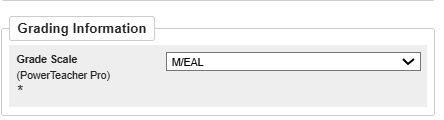
1) Create New Academic Grade Scale: M/EAL
Navigation
-
Go to District Management, Academics, and then Academic Grade Scales.
-
Select New.
Main Scale Settings
|
Field |
Value |
|---|---|
|
Name |
M/EAL |
|
Type |
Alpha |
|
Use |
Standards |
|
Description |
M/EAL |
|
Uses Special Codes |
None |
|
Show Term Weighting and Average Final Grades (AFG) |
Unchecked |
|
Repeated Course Policy |
None |
Starting Grade Scale Items
Add the following entries comma-separated, generate the table and then populate the description of each item.
|
Grade |
Description |
Teacher Scale |
|---|---|---|
|
E |
EAL |
Checked |
|
EANDM |
EAL & M |
Checked |
|
M |
M |
Checked |
Additional Setting
|
Field |
Value |
|---|---|
|
Default Zero Cutoff |
E |
Save Academic Grade Scale: M/EAL
-
Click Save.
-
Verify that the new M/EAL grade scale is available for use with standards-based assessments and report card setup.
-
For year 2026-2027 standards. each subject, inactivate the existing subject identifier, ex: E1-6.ARDA.FLG - IEP/EAL (Dance) and create a new one E1-6.ARDA.FLG - M/EAL (Dance) and associate the new grade scale.
2) Create English Academic Grade Scale
1. Locate the Existing Grade Scale
-
-
Navigate to District Management > Academics > Academic Grade Scales.
-
Open 1-8 (4 ,3 ,2 ,1 ,ND) (English). You may have it under a different name
-
2. Duplicate the Grade Scale
-
-
Click Duplicate.
-
A copy of the grade scale will be created with all existing settings and grade entries.
-
3. Update the Main Scale Information
Name
Change it as needed. Ex:
1-8 (4,3,2,1,ND) (English)
To:
1-8 (4,3,2,1,NYD) (English) 2026-2027+
Description
Change as needed. Ex:
1-8 (4,3,2,1,ND) (English)
To:
1-8 (4,3,2,1,NYD) (English) 2026-2027 Onwards
4. Update the Grade Scale Items
In the Grade Scale section, update the following row:
|
Existing Grade |
New Grade |
Existing Description |
New Description |
|---|---|---|---|
|
ND |
NYD |
ND - Does Not yet Demonstrate |
NYD - Does Not Yet Demonstrate |
All other grade scale items remain unchanged:
5. Update Default Zero Cutoff
Change the Default Zero Cutoff from: ND To: NYD
6. Save the English Academic Grade Scale
-
-
Click Save.
-
Confirm the new grade scale appears as:
-
-
-
1-8 (4,3,2,1,NYD) (English) 2026-2027+
-
Verify the grade entry NYD is available and the Default Zero Cutoff is set to NYD.
-
7. Use the New English Academic Grade Scale
-
-
Inactivate Existing standards that use the old English Academic Grade Scale.
-
Create new standards achievements and use the New English Academic Grade Scale
-
Standards for 2026-2027 onwards
1) Create New Science Standard
-
-
Navigate to District Management > Academics > Standards.
-
Open the Science parent standard (E1-6.SCI).
-
Inactivate E1-6.SCI.P - Design process and problem solving (Science) standard by unselecting the Is Active flag
-
Click New and add a new standard
-
Standard Information
Populate the fields as follows:
|
Field |
Value |
|---|---|
|
Name |
Scientific applications and implications (Science) |
|
Identifier |
E1-6.SCI.SAI |
|
Parent Standard |
E1-6.SCI - Science |
|
Sort Order Within Parent |
Enter the appropriate sort order |
|
Level |
Enter the appropriate level |
|
Is Active |
Checked |
|
Description |
Scientific applications and implications |
|
Courses |
Enter the appropriate courses |
|
Subject Area |
Science |
|
Grade Scale |
|
Teacher Information
-
Configure the following:
|
Setting |
Value |
|---|---|
|
Teachers Score this Standard |
Checked |
|
Include Comments |
Checked |
|
Max Length |
4000 |
Save the Science Standard
-
-
Click Submit to save the standard.
-
Verify that the new standard appears under the parent standard E1-6.SCI -Science
-
-
-
Ensure you are in the correct school year (for example, 2026-2027).
-
Click New Standard.
-
2) Schools Offering French Courses
Add 2 New French Learning Skills Standards
Construction langagière (CL). Enter the following values:
|
Field |
Value |
|---|---|
|
Name |
Construction langagière (CL) |
|
Identifier |
E1-6.LB.CL |
|
Parent Standard |
E1-6.LB (Learning Skills - Work Habits) |
|
Sort Order Within Parent |
Enter the appropriate sort order |
|
Level |
Enter the appropriate Level |
|
Is Active |
Checked |
|
Description |
Construction langagière (CL) |
|
Courses |
Enter the appropriate courses |
|
Subject Area |
Work Habits |
|
Grade Scale |
Select the appropriate French Grade Scale Ex: 1-12 Learning Behaviours (Français) |
Teacher Information
-
-
Configure the following:
-
|
Setting |
Value |
|---|---|
|
Teachers Score this Standard |
Checked |
|
Include Comments |
Checked |
|
Max Length |
4000 |
Save French Courses
-
-
Click Submit or Save.
-
Verify that Construction langagière (CL) appears under the Learning Skills (Work Habits) parent standard and is available in PowerTeacher Pro for French report cards.
-
Construction identitaire et culturelle (CIC). Enter the following values:
|
Field |
Value |
|---|---|
|
Name |
Construction identitaire et culturelle (CIC) |
|
Identifier |
E1-6.LB.CIC |
|
Parent Standard |
E1-6.LB (Learning Skills - Work Habits) |
|
Sort Order Within Parent |
Enter the appropriate sort order |
|
Level |
Enter the appropriate Level |
|
Is Active |
Checked |
|
Description |
Construction identitaire et culturelle (CIC) |
|
Courses |
Enter the appropriate courses |
|
Subject Area |
Work Habits |
|
Grade Scale |
Select the appropriate French Grade Scale Ex: 1-12 Learning Behaviours (Français) |
Teacher Information
-
-
Configure the following:
-
|
Setting |
Value |
|---|---|
|
Teachers Score this Standard |
Checked |
|
Include Comments |
Checked |
|
Max Length |
4000 |
Save
-
-
Click Submit or Save.
-
Verify that Construction identitaire et culturelle (CIC) appears under the Learning Skills (Work Habits) parent standard and is available in PowerTeacher Pro for French report cards.
-
3)Learning Skills - IEP flag on the last page of the report is Removed
Inactivate E1-6.LB.FLG as it will not be used going forward.