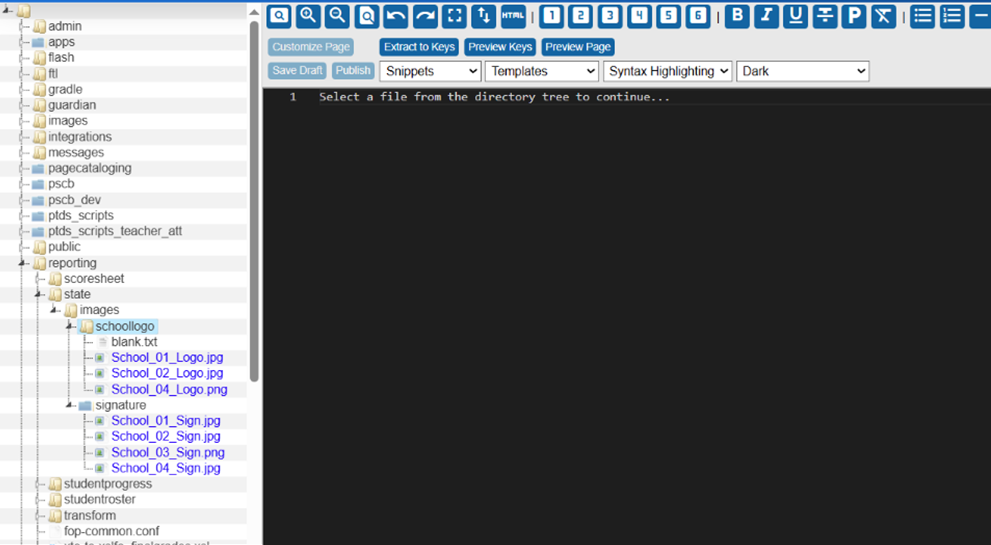
Save the principal’s signature image to the database using the Custom Pages functionality.
-
Supported formats: PNG and JPEG (JPEG recommended)
-
Resolution: 1920 × 243 px
-
Aspect ratio: ~7.9:1
Upload Principal Signature
Navigation: System Management, Customizations, Manage Custom Pages
-
From the list folder, select reporting, click state, and then images.
-
Right-click images, and select New.
-
Enter signature as the folder name (all lowercase) and click Submit.
-
To upload the principal’s signature, right-click the signature folder and select Upload.
-
On File Upload, click Choose File, and select the image.
-
Click Submit
The image will be saved and available for selection under Reporting Images in the School Info section.