
The Data Exchange platform allows you to archive or delete published data.
Archiving:
-
Moves published data for a selected profile and school year into a secure archive.
-
Removes the data from active publishing and editing, while retaining it for compliance and reference.
-
Locks the school year so its data cannot be published again once archived.
Deleting:
-
Permanently removes published data for a selected profile and school year from both the system and the archive.
-
Cannot be undone; deleted data is not recoverable.
-
Allows the school year to be re-enabled later on the General Setup page for future use, but the original data remains lost.
Best Practices and Recommendations
-
Plan ahead
Schedule archive and delete operations during low-usage periods to minimise impact on users. Ideally, perform these actions no more than once per year, and only when necessary. -
Communicate
Ensure stakeholders are aware of planned maintenance, particularly when large data sets may require multiple weekends to complete processing. -
Archive before you delete
If there is any chance the data will be needed for compliance or reference, archive it before you consider permanent deletion. -
Monitor progress
Large archive or delete jobs may need more than one maintenance window to complete. The system automatically resumes any incomplete operation in the next scheduled window.
To archive a profile with published data:
-
Enable the scheduler
Navigate to:System Management > Data Exchange > General Setup > Archive/Delete Job Control > Enable DB scheduler -
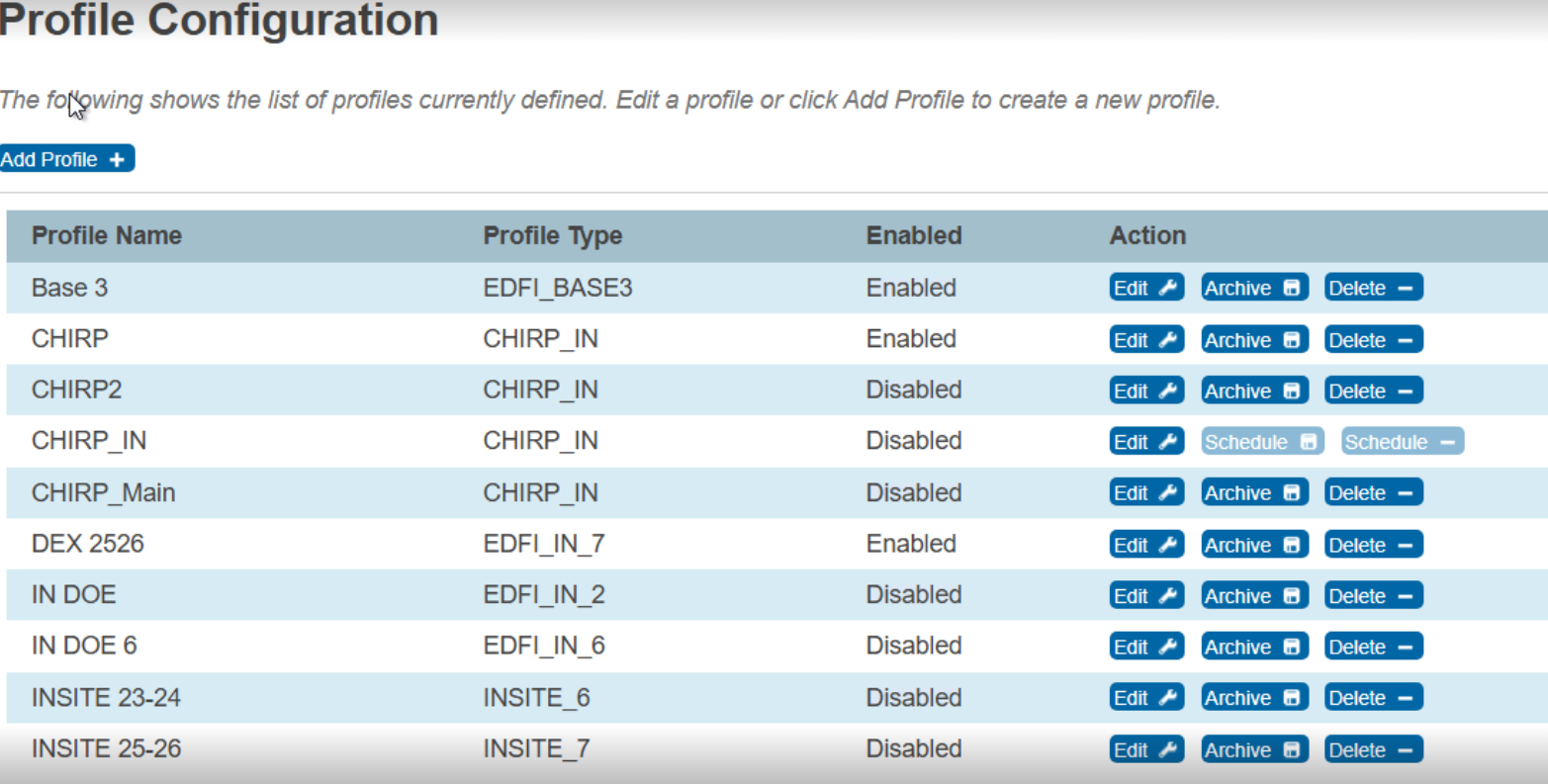
Open the Profile configuration
Navigate to:System Management > Server > Plugin Configuration > PowerSchool Data Exchange (DEX) > Profile Configuration > Archive
-
Select the profile year
Choose the profile you want to archive.-
The Archive option is available only for past school years that:
-
Are enabled
-
Have published data
-
Have not already been archived
-
-
-
View archived data
After archiving, you can view archived data at:
System Management > Data Exchange > Archived Data
To delete a profile with published data:
-
Enable the scheduler
Navigate to:System Management > Data Exchange > General Setup > Archive/Delete Job Control > Enable DB scheduler -
Open the Profile configuration
Navigate to:System Management > Server > Plugin Configuration > PowerSchool Data Exchange (DEX) > Profile Configuration > Delete
-
Select the profile year
Choose the profile you want to delete, and click Delete.-
The Delete option is available for any school year with published data, including the current year. Years that have already been archived or deleted appear disabled in the delete menu. Once deleted, the data cannot be recovered.
-