
Admin Portal: Reviewing Requests
-
Log into the Admin Portal to review incoming requests.
-
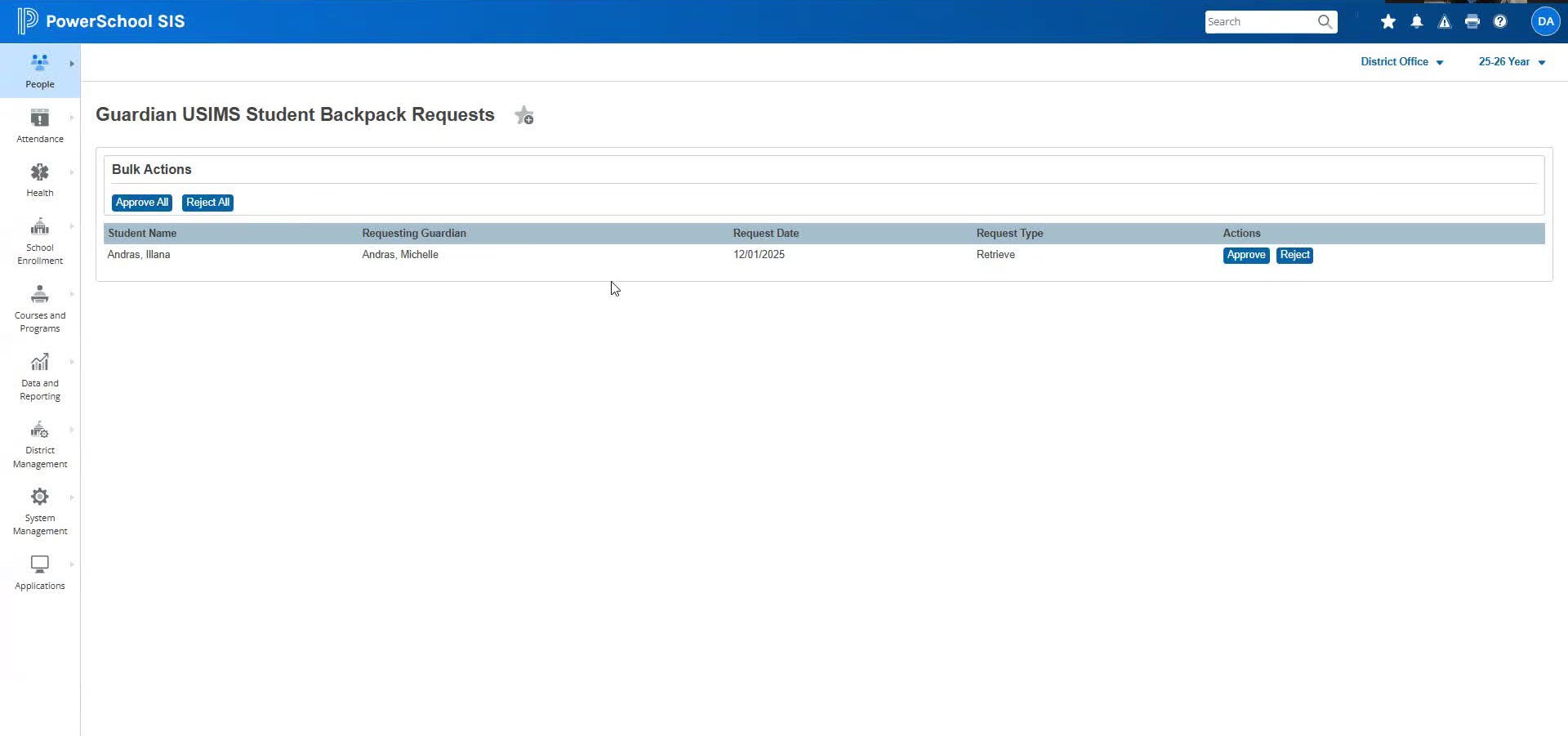
Navigate to People > Students > Guardian USIMS Student Backpack Requests to view all requests. All pending requests submitted using the Guardian portal are displayed here.
Note: The admin portal user will need to have the appropriate access level to view this page.
Approving or Rejecting Requests
-
Select a request to approve or reject.
-
After processing, refresh the page to see the updated status of the request.
-
The admin user can approve or reject one request at a time or Approve All or Reject All.
-
Once a request is approved, the Guardian will see the data on the USIMS Student Backpack page in the parent portal. The same data will also be displayed on the Student’s USIMS Backpack page in the admin portal.
Managing User Permissions
-
Ensure that the user has the necessary permissions to access the Student Backpack features.
-
Check the 'Student Backpack Review Access' checkbox in the staff profile settings.
Handling Unauthorized Access
-
If permissions are not set correctly, users will receive an unauthorized message.
-
Adjust permissions as needed to restore access.