Overview
This page lists the steps for accessing and managing the USIMS Student Backpack through the Parent Portal, including how to request and update data.
Logging into the Parent Portal
-
Navigate to the Parent Portal.
-
Enter the parent's credentials (username and password) to log in.
Accessing Student Information
-
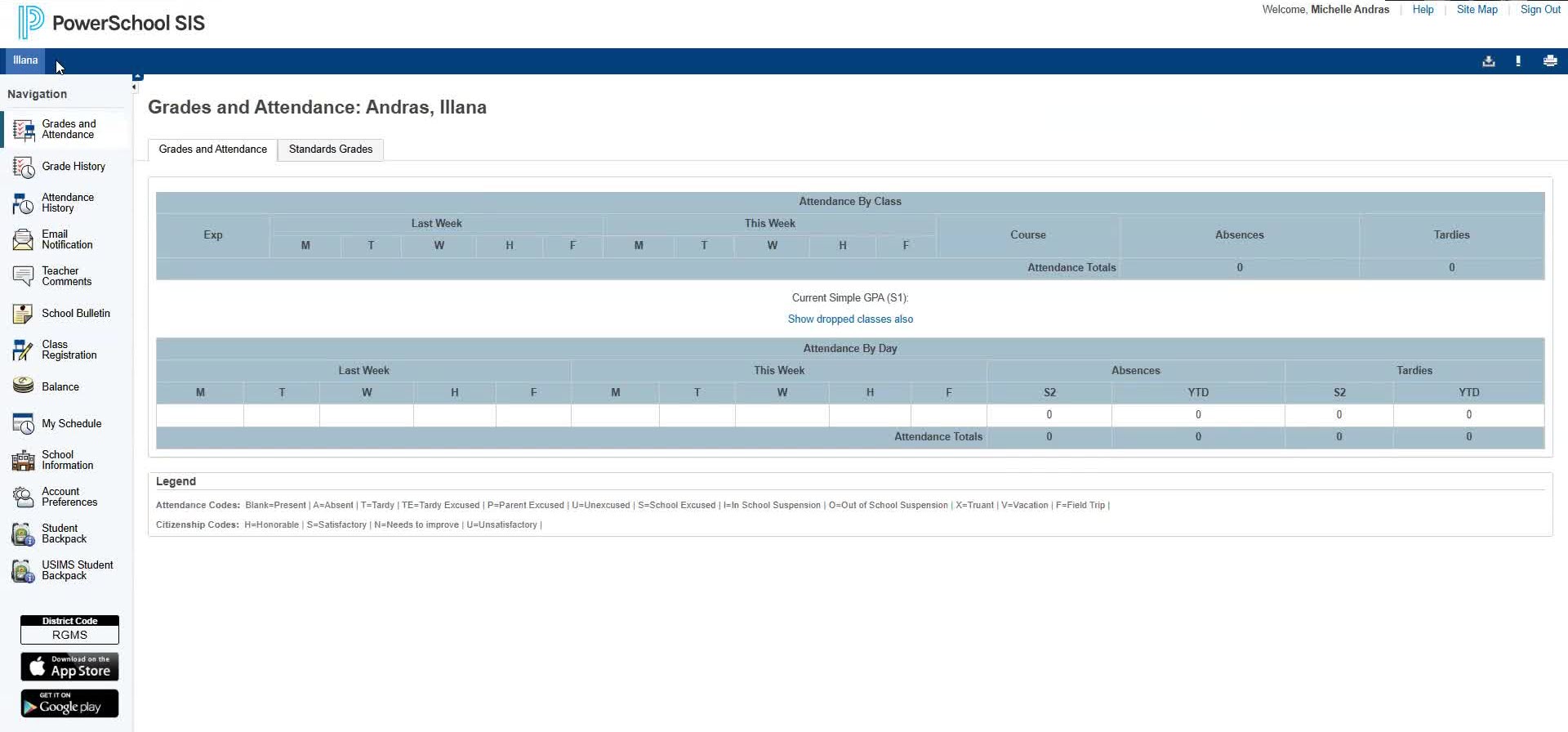
Once logged in, locate the student associated with the parent account.
-
If multiple students are linked, they will appear as tabs.
Requesting USIMS Backpack Data
-
Navigate to USIMS Student Backpack page from the left navigation menu.
-
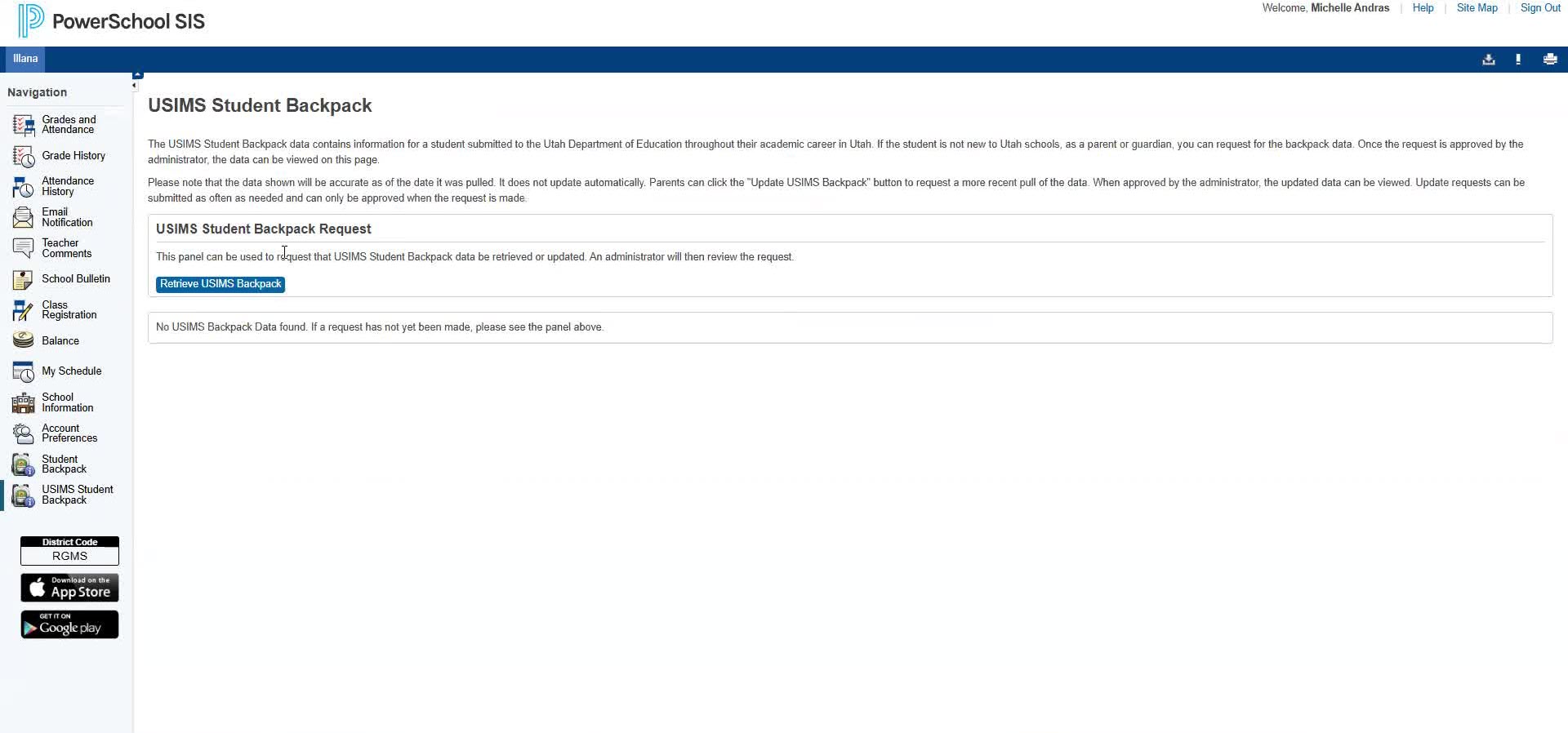
Click Retrieve USIMS Backpack to request student backpack data.
-
If no data is found, a message will indicate that no data is available.
-
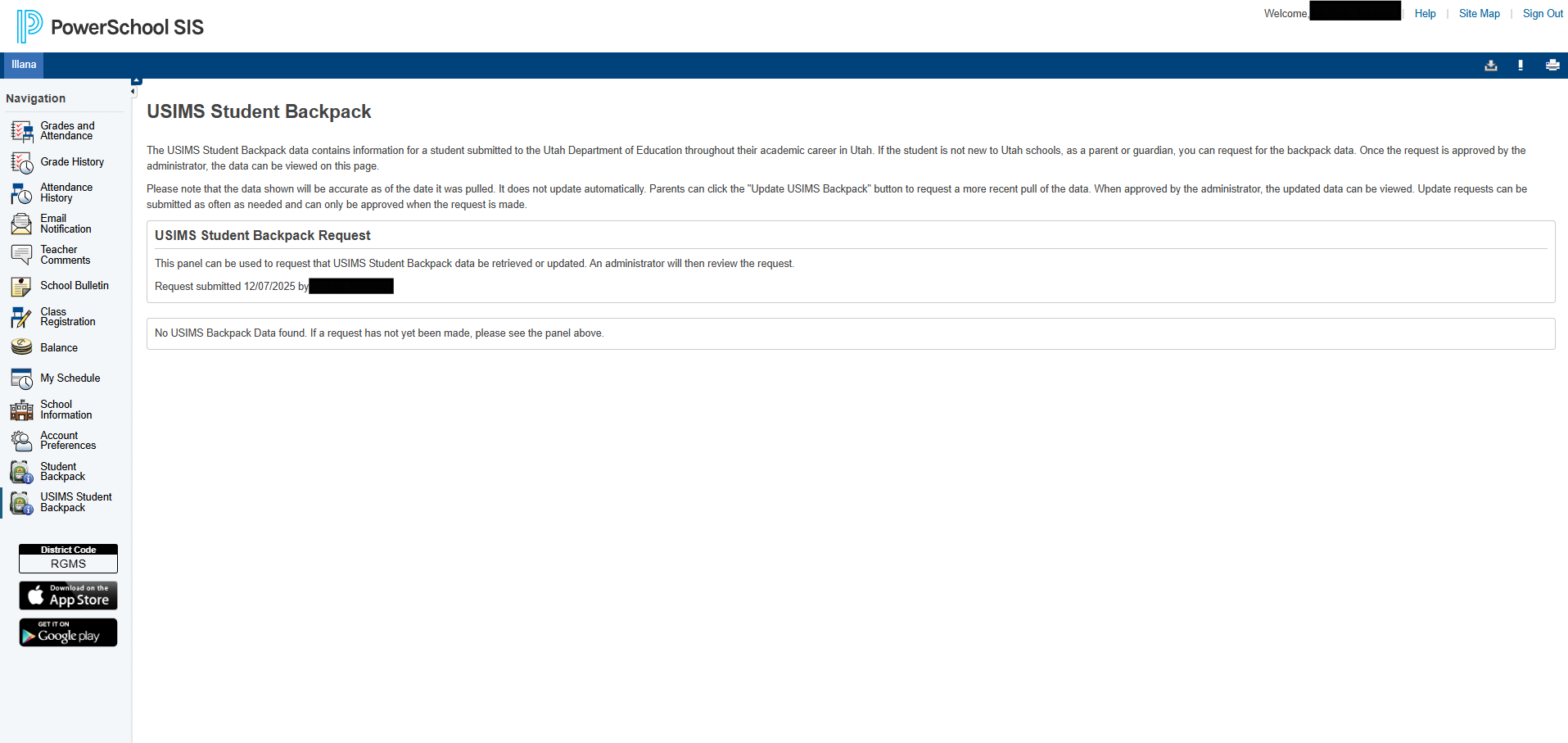
If data has already been requested by a guardian and the request is pending with the admin, the Retrieve USIMS Backpack button will not be displayed.
Updating Existing Data
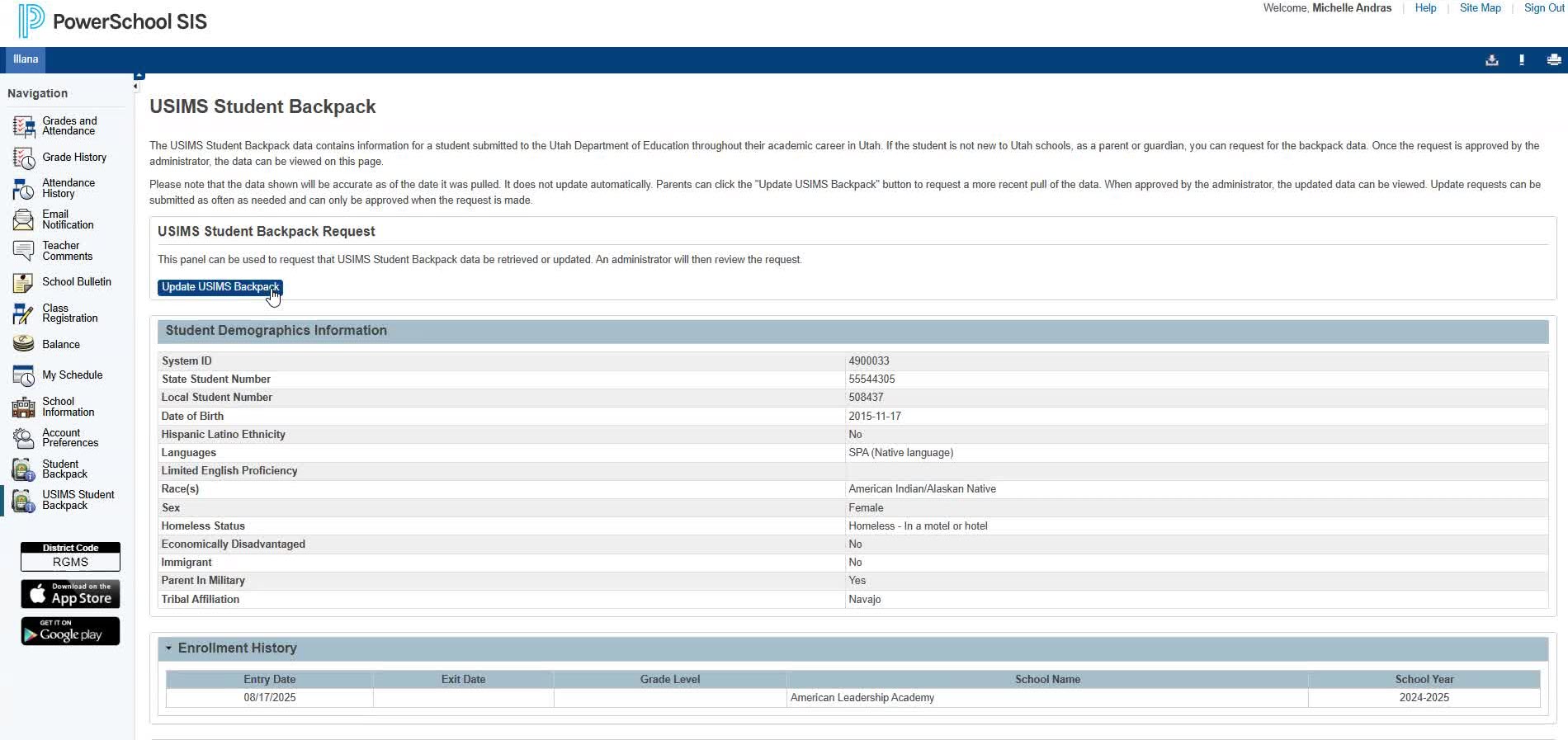
-
If data is already present, the 'Update USIMS Backpack' button will be available.
-
Click 'Update USIMS Backpack' to request an update on existing data.